
Supporting JPEG-XL compression in Apple ProRAW Capture
Pinpoint some trouble you may encounter when supporting JPEG-XL

You may have noticed that there’s a new setting named ProRAW format in iOS Settings → Camera → Formats → ProRAW Format page, where you can specify the so-called ProRAW format from the list of JPEG, JPEG-XL Lossless and JPEG-XL Lossy.
If I remember correctly, this is introduced since iOS 18, while Apple added viewing JPEG-XL support starting iOS 17.
However, don’t get it wrong: this settings doesn’t mean that the captured photos will be in jxl extension. Instead, it simply means that the compression it uses is JPEG-XL Lossless or Lossy. For some APIs, such as CIContext, they still don’t support saving as jxl file while CGImageDestinationCreateWithURL does support with UTType.jpegxl starting iOS 18.2.
JPEG is the most compatible format while JPEG-XL is not. For the final compressed photos, it’s not a good idea to use JPEG-XL for now. But for ProRAW photos, it’s worth a try using JPEG-XL compression inside the DNG container.
In short, supporting JPEG-XL compression can help reduce the file size while maintaining the quality or have higher quality at the same file size. If users have been complaining the file size of 48MP ProRAW, then you should consider adding support of JPEG-XL.
Well, then how to support JPEG-XL compression when capturing ProRAW?
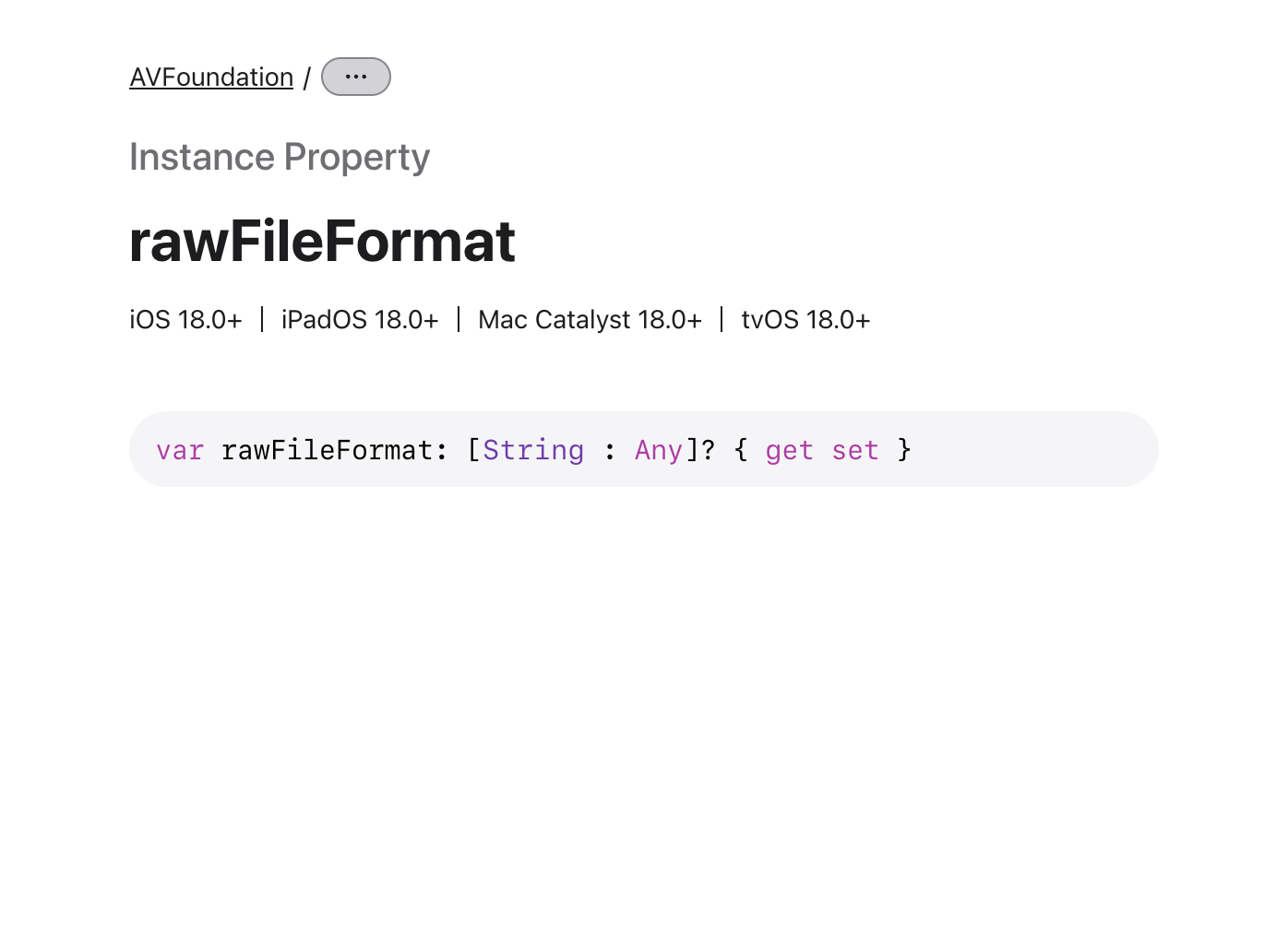
The reason I am writing this is because there’s few information about this, as Apple’s documentations provide literally nothing, even for the specified API if you are lucky enough find it:
ProRAW camera session setup
As Apple does provide a detailed documentation about the ProRAW camera session setup, I won’t bother replicate this. Please refer to the documentation:
Putting it in short about the setup:
photoOutput.isAppleProRAWEnabledshould be enabled
Choose the right
rawPixelFormatTypewhen constructingAVCapturePhotoSettings.
Use
fileDataRepresentationto get the file data from the receivedAVCapturePhoto.
Save the data into a file.
Using rawFileFormat to specify codec
As mentioned before, rawFileFormat from AVCapturePhotoSettings is the correct API to use to specify the codec for the captured RAW file. However, the documentation about this is completely empty, as its type is also a dictionary where the key is String and value is…Any.
When I was seeing this, on top of my head, I will look for the header comments in the AVCapturePhotoOutput.h header. And luckily we have some comments about this property:
/*!
@property rawFileFormat
@abstract
    A dictionary of AVVideoSettings keys specifying the RAW file format to be used for the RAW photo.

@discussion
    One can specify desired format properties of the RAW file that will be created.
    Currently only the key AVVideoAppleProRAWBitDepthKey is allowed and the value to which it can be set should be from 8-16.
    The AVVideoCodecKey must be present in the receiver's -availableRawPhotoCodecTypes array as well as in
    -supportedRawPhotoCodecTypesForRawPhotoPixelFormatType:fileType:.
    AVVideoQualityKey (NSNumber in range [0.0,1.0]) can be optionally set and a value between [0.0,1.0] will use lossy compression
   with lower values being more lossy resulting in smaller file sizes but lower image quality,
   while a value of 1.0 will use lossless compression resulting in the largest file size but also the best quality.
*/
@property(nonatomic, copy, nullable) NSDictionary<NSString *, id> *rawFileFormat API_AVAILABLE(ios(18.0), macCatalyst(18.0), tvos(18.0)) API_UNAVAILABLE(macos, visionos) API_UNAVAILABLE(watchos);
Well, some parts of them don’t make much sense:
Currently ONLY the key
AVVideoAppleProRAWBitDepthKeyis allowed
Then it says AVVideoCodecKey and AVVideoQualityKey can also be presented, hmmm.
Turns out you can set all of them:
AVVideoAppleProRAWBitDepthKeycontrols the maximum bit depth of the data. It can range from 8-16. By default on iPhone 17 Pro, it will be 10.
AVVideoCodecKeycontrols the codec format. The format should be presented inphotoOutput.availableRawPhotoCodecTypes. This means that not all iPhone models support JPEG-XL, and you should check this before. For JPEG-XL, the value should beAVVideoCodecType.JPEGXL.
AVVideoQualityKeycontrols the compression quality. Setting this to 1.0 means lossless compression will be used while values between (0.0, 1.0) will use lossy compression.
Also please note that this rawFileFormat property is available starting iOS 18.
Dealing with the bug from AVFoundation when modifying metadata
After setting rawFileFormat correctly with AVVideoCodecType.JPEGXL, when you receive the corresponding AVCapturePhoto, you can call its fileDataRepresentation() method to get the file data to write to a file.
However, note that you may also have use fileDataRepresentation(with:) method to specify some metadata, for example writing the GPS location to the metadata in the optional replacementMetadata(for:) method.
class AppProRAWCustomizer: NSObject, AVCapturePhotoFileDataRepresentationCustomizer {
    let parameters: CamProcessor.ProcessParameters

    init(parameters: CamProcessor.ProcessParameters) {
        self.parameters = parameters
    }

    func replacementMetadata(for photo: AVCapturePhoto) -> [String : Any]? {
        return photo.metadata.attachLocation(parameters.locationInfo)
    }
}
Well, if you are doing this, the output ProRAW file data will be using the original JPEG compression instead of JPEG-XL. If you check the DNG Compatible Version it will be 1.3 while the DNG version will be 1.7. In my attachLocation method, I just set the kCGImagePropertyGPSDictionary, which shouldn’t affect the result.
My conclusion is: if you have ever modify the metadata of photo.metadata, the system will treat it differently and decide to use JPEG compression.
Then the solution is simple, you shouldn’t modify the metadata in replacementMetadata(for:) method when using JPEG-XL. However, I insist that this’s the bug from AVFoundation, and you could help report this bug to Apple.
That’s it. I am not neither integrating some JPEG-XL libs into the app or doing my own implementation, but finding those bugs in Apple’s close-source framework is exhausting. Hope this can save you some time.